

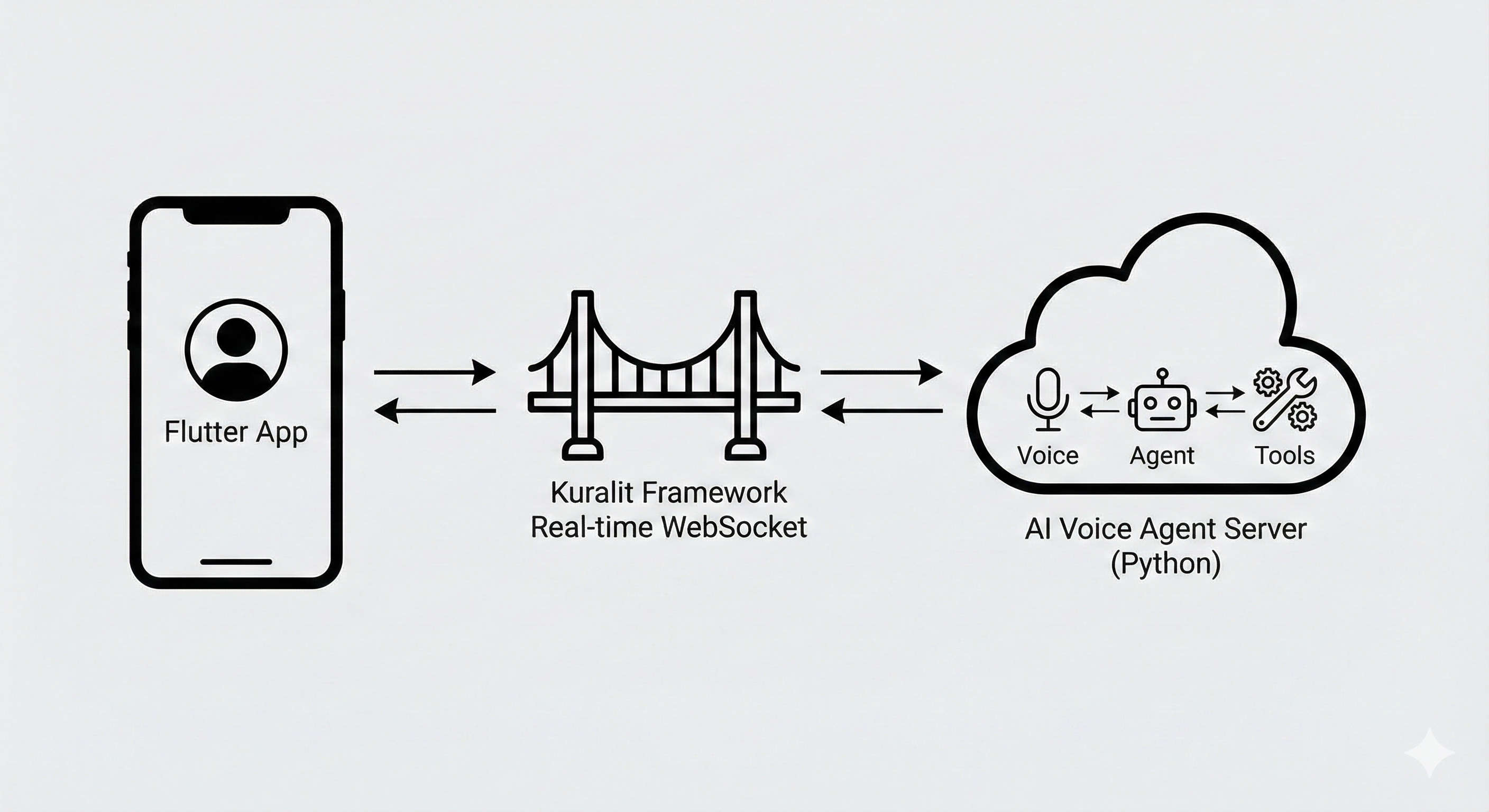
How It Works
Kuralit connects your mobile app to AI Voice Agents:What are AI Voice Agents?
AI Voice Agents combine three powerful capabilities: AI Voice Agents = 🤖 Agents + 🛠️ Tools + 🎤 Voice🤖 AI Agents
Conversational AI with context and personality
🛠️ Tools & Function Calling
Agents can perform actions, not just talk
🎤 Real-Time Voice
Natural spoken conversations with speech-to-text
Quick Start
Get your mobile app connected to an AI Voice Agent in 10 minutes:Quickstart
Connect your existing API to an AI Voice Agent and Flutter app
Complete Example
Here’s how to connect an AI Voice Agent to your mobile app:What You Can Build
Connect AI Voice Agents to your mobile apps for:- Voice Assistants - Add voice AI to your mobile app
- Customer Support - In-app support with AI Voice Agents
- Voice-Enabled Features - Voice commands and interactions
- Conversational Interfaces - Natural voice and text conversations
Key Features
Mobile App Integration
Flutter SDK for connecting mobile apps to AI Voice Agents
AI Voice Agent Server
Python SDK for building AI Voice Agent servers
Real-Time Voice
Speech-to-text, voice activity detection, and natural turn-taking
Function Calling
Agents can use tools to perform actions, not just talk
Next Steps
- Quickstart → - Connect your existing API to an AI Voice Agent
- What are AI Voice Agents? → - Understand the three pillars
- Basics → - Learn core concepts
- SDKs → - Implementation guides